# SD-WebUI-Localization_ZH_CN
**Repository Path**: stable_diffusion/SD-WebUI-Localization_ZH_CN
## Basic Information
- **Project Name**: SD-WebUI-Localization_ZH_CN
- **Description**: No description available
- **Primary Language**: Unknown
- **License**: MIT
- **Default Branch**: main
- **Homepage**: https://github.com/RunawayOrange/SD-WebUI-Localization_ZH_CN.git
- **GVP Project**: No
## Statistics
- **Stars**: 0
- **Forks**: 0
- **Created**: 2023-12-19
- **Last Updated**: 2023-12-19
## Categories & Tags
**Categories**: Uncategorized
**Tags**: None
## README
# Stable Diffusion WebUI Localization Chinese Simplified
Simplified Chinese translation extension , Used for [AUTOMATIC1111's stable diffusion webui](https://github.com/AUTOMATIC1111/stable-diffusion-webui)
## 简体中文(Simplified Chinese)
简体中文翻译扩展,适用于 [Stable Diffusion Webui](https://github.com/AUTOMATIC1111/stable-diffusion-webui)
***推荐与 [Bilingual Localization](https://github.com/journey-ad/sd-webui-bilingual-localization) 共同使用***
## 如何安装webUI简体中文语言包
新版本 webui 安装方法【点击展开】
### 通过网址安装
- 点击 `Extension` 选项卡,点击 `Install from URL` 子选项卡
- 复制本 git 仓库网址:
```
[https://github.com/StormyOrange/SD-WebUI-Localization_ZH_CN]
```
- 粘贴进 URL 栏,点击 `Install`,如图

- 安装完成,跳转到 [如何使用](#如何使用)
### 3. 又或者,直接下载然后放在对应路径
- [下载本 git 仓库](https://codeload.github.com/dtlnor/stable-diffusion-webui-localization-zh_CN/zip/refs/heads/main)为 zip 档案

- 解压,并把文件夹放置在 webui 根目录下的 `extensions` 文件夹中,放好之后应该会如下图
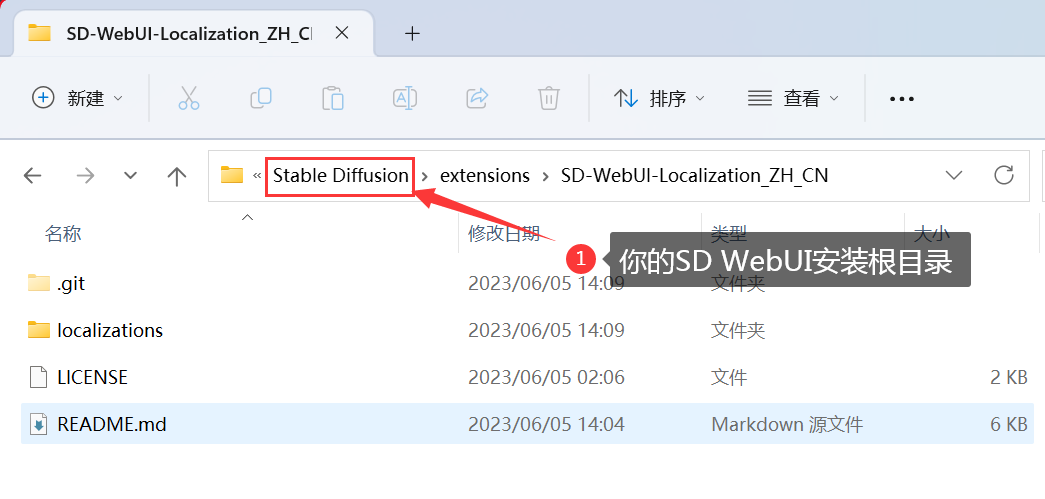
- 安装完成,跳转到 [如何使用](#如何使用)
2022年旧版本 webui 安装方法【点击展开】
### 通过网址安装【旧版】
- 点击 `extension` 选项卡,点击 `Install from URL` 子选项卡
- 复制本 git 仓库网址:
```
https://github.com/StormyOrange/SD-WebUI-Localization_ZH_CN.git
```
- 粘贴进 URL 栏,点击 `Install`,如图

- 安装完成,跳转到 [如何使用](#如何使用)
### 3. 又或者,直接下载然后放在对应路径【旧版】
- [下载本 git 仓库](https://github.com/StormyOrange/SD-WebUI-Localization_ZH_CN/zip/refs/heads/main)为 zip 档案

- 解压,并把文件夹放置在 webui 根目录下的 `extensions` 文件夹中,放好之后应该会如下图

- 安装完成,跳转到 [如何使用](#如何使用)
## 如何使用
**确保扩展已经正确加载**
- 重启webUI以确保扩展已经加载了
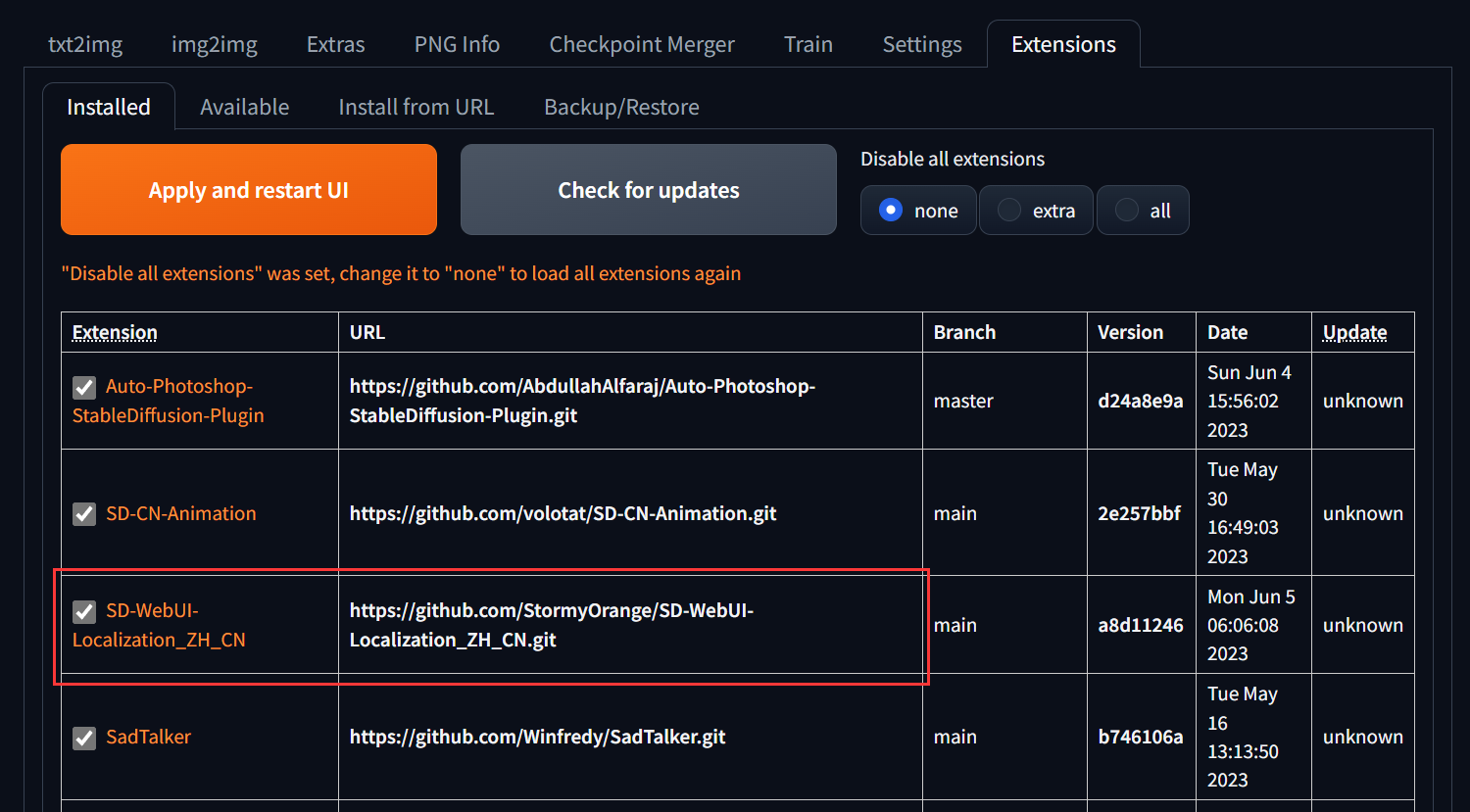
- 在 `Settings` 选项卡,点击 **页面右上角**的 **橙色 `Reload UI` 按钮** 刷新扩展列表

- 在 `Extensions[扩展]` 选项卡,确定已勾选本扩展☑️;如未勾选,勾选后点击**橙色按钮**启用本扩展。
**选择简体中文语言包(简体中文语言包_StormyOrange)**
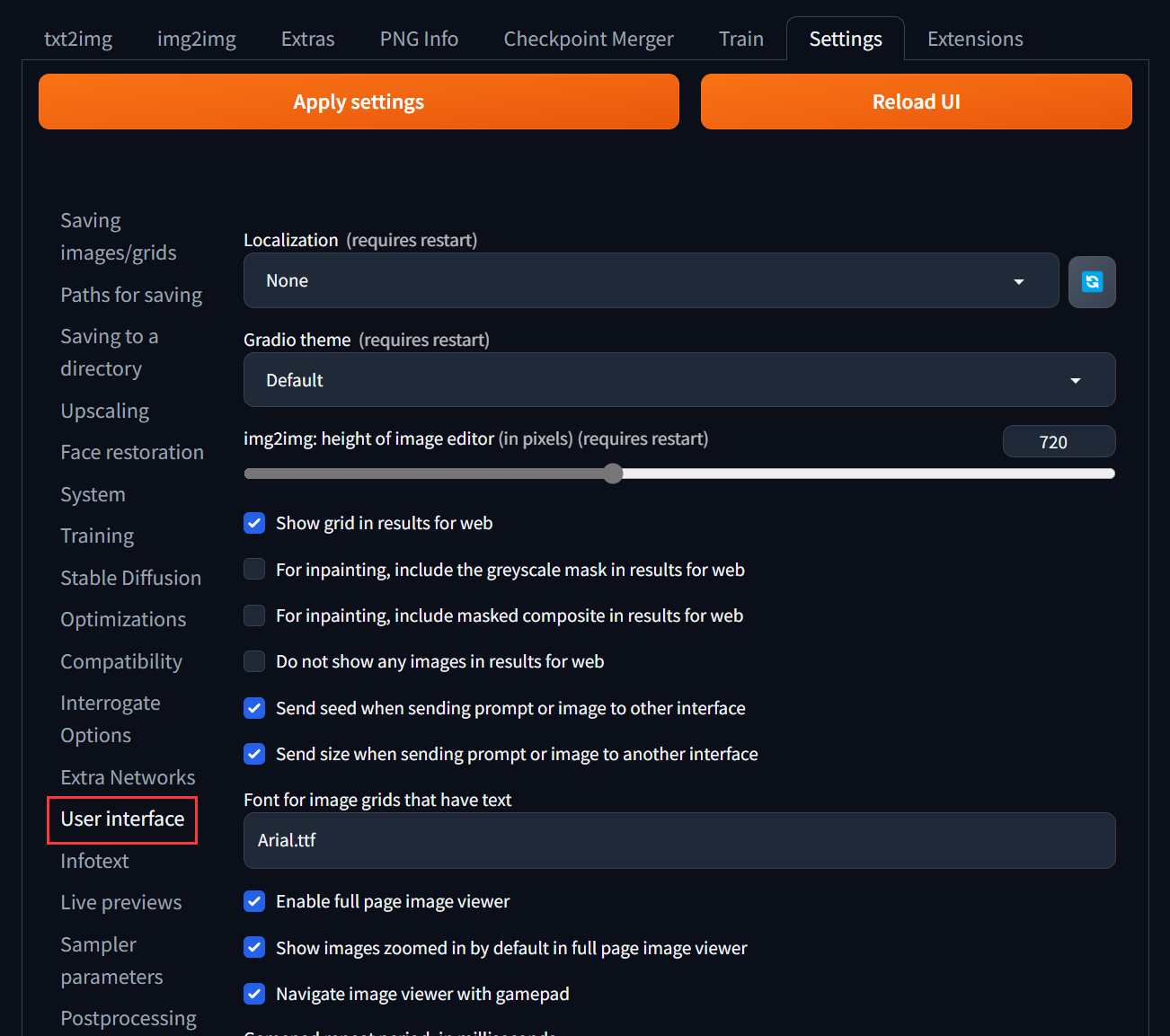
- 在 `Settings[设置]` 选项卡中,找到 `User interface[用户界面]` 子选项
- 然后去页面最顶部,找到 `Localization (requires restart)` 小项,找到在下拉选单中选中 `简体中文语言包_StormyOrange` (如果没有就按一下🔄按钮),如图
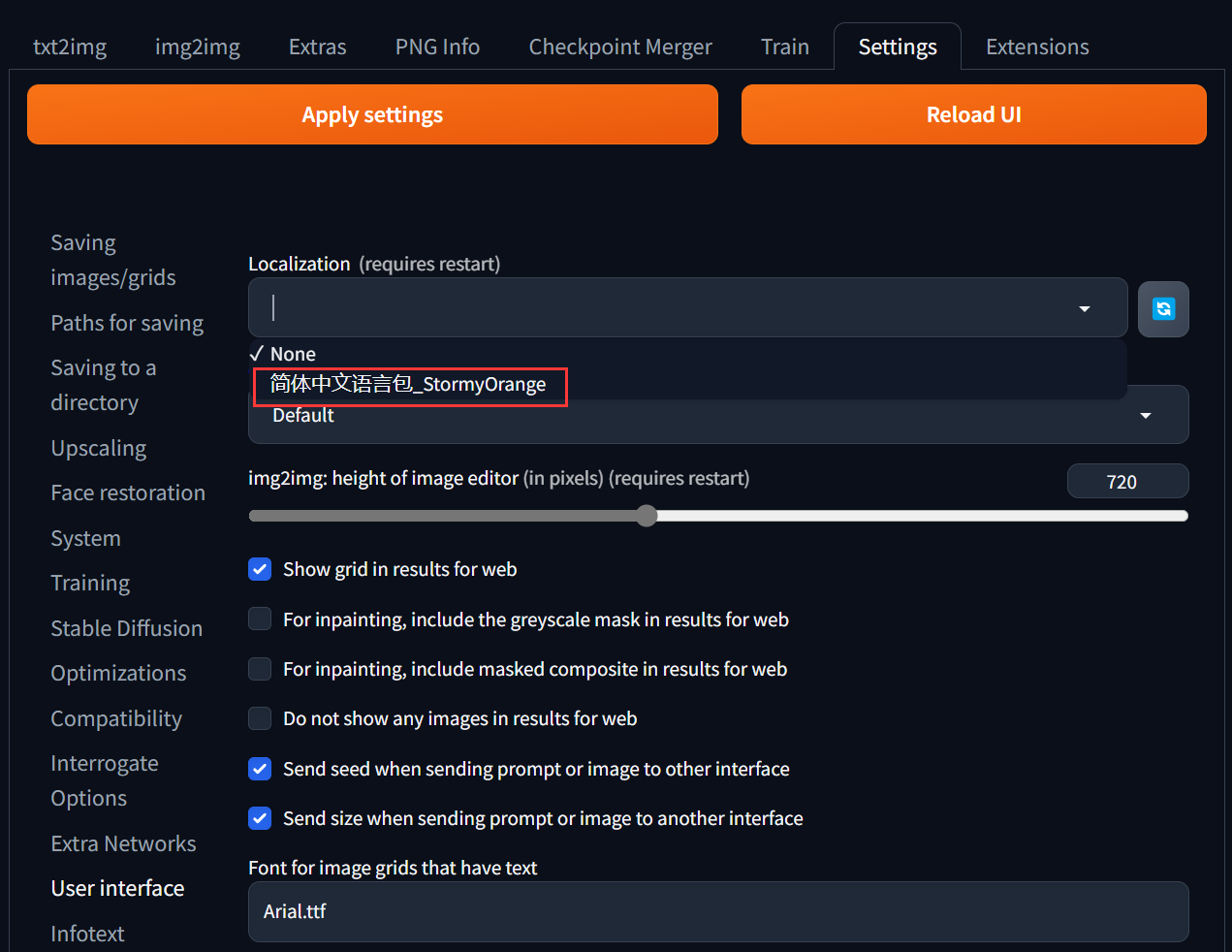
- 然后按一下 页面顶部左边的 **橙色 `Apply settings` 按钮** 保存设置,再按 右边的 **橙色 `Reload UI` 按钮** 重启webUI

## 如何使用【旧版】
2022年旧版本 webui【点击展开】
**重启webUI以启用扩展**
- 在 `Settings` 选项卡,点击 **页面底部**的 **橙色按钮** 刷新扩展列表
- 在 `Extensions` 选项卡,确定已勾选本扩展☑️;如未勾选,勾选后点击**橙色按钮**启用本扩展。
**选择简体中文语言包(简体中文语言包_StormyOrange)**
- 在 `Settings` 选项卡中,找到 `Localization (requires restart)` 小项,然后在下拉选单中选中 `简体中文语言包_StormyOrange` (如果没有就按一下🔄按钮),如图

- 然后按一下 页面顶部的 **橙色按钮** 保存设置,再按 页面底部的 **橙色按钮** 重启webUI

