# vimms_l
**Repository Path**: timedb/vimms_l
## Basic Information
- **Project Name**: vimms_l
- **Description**: No description available
- **Primary Language**: Unknown
- **License**: GPL-3.0
- **Default Branch**: master
- **Homepage**: None
- **GVP Project**: No
## Statistics
- **Stars**: 0
- **Forks**: 0
- **Created**: 2020-09-07
- **Last Updated**: 2020-12-19
## Categories & Tags
**Categories**: Uncategorized
**Tags**: None
## README

Liquid-Chromatography (LC) coupled to tandem mass spectrometry (MS/MS) is widely used in identifying small molecules in
untargeted metabolomics. Various strategies exist to acquire MS/MS fragmentation spectra; however, the development of
new acquisition strategies is hampered by the lack of framework that let researchers prototype, compare, and optimise
strategies before validations on real machines.
We introduce **V**irtual **M**etabolomics **M**ass **S**pectrometer
(**VIMMS**), a modular metabolomics LC-MS/MSframework that allows for scan-level control simulation of the MS2 acquisition
process *in-silico*. ViMMS can generate new LC-MS/MS data based on empirical data or virtually re-run a previous LC-MS/MS
analysis using pre-existing data to allow the testing of different fragmentation strategies. It allows the
comparison of different fragmentation strategies on real data, with the resulting scan results extractable as mzML files.
Additionally ViMMS can also be used as a framework to develop, optimise and test new fragmentation strategies. New
fragmentation strategies can be implemented in ViMMS by extending from a Controller class. Such controllers can be run
on both the simulator as well as on actual mass spectrometry instruments that have supported APIs. At the moment, we support
only the Thermo Fusion instrument via [IAPI](https://github.com/thermofisherlsms/iapi), but please contact us if you want to
add support for other instruments.
Demonstration
---------
Demo notebooks illustrating the use of the framework in a simulated setting can be found in the [Demo folder](https://github.com/sdrogers/vimms/tree/master/demo).
Example notebooks to accompany publications can be found in the [Example folder](https://github.com/sdrogers/vimms/tree/master/examples)
Simulator
---------

To demonstrate its utility, we show how our proposed framework can be used to take the output of a real tandem mass
spectrometry analysis and examine the effect of varying parameters in Top-N Data Dependent Acquisition protocol.
We also demonstrate how ViMMS can be used to compare a recently published Data-set-Dependent Acquisition strategy with
a standard Top-N strategy. We expect that ViMMS will save method development time by allowing for offline evaluation of
novel fragmentation strategies and optimisation of the fragmentation strategy for a particular experiment.
Here is an example showing actual experimental spectra vs our simulated results.

Developing New Fragmentation Strategies
---------------------------------------
New fragmentation strategies can be developed on ViMMS by extending from a base Controller class. The controller can be run
in either a simulated or a real environment (connecting to an actual mass spectrometry instrument).

For example, here we show an example MS1 (fullscan) controller that only sends MS1 scans and saves them back:
https://github.com/sdrogers/vimms/blob/master/vimms/Controller/topN.py#L101-L133.
Another example of a Top-N controller that fragments the top-N most intense precursor ions in the survey (MS1) scan:
https://github.com/sdrogers/vimms/blob/master/vimms/Controller/topN.py#L246-L473
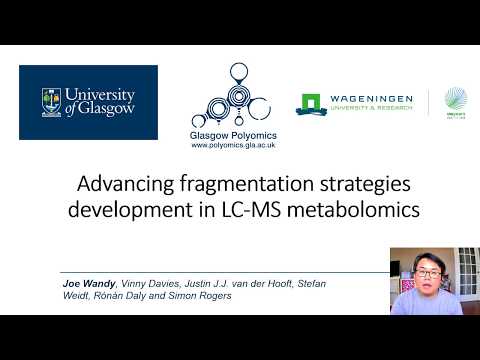
Finally the following YouTube video describes [SmartROI](https://github.com/sdrogers/vimms/blob/master/vimms/Controller/roi.py#L208-L393), a controller that detects regions-of-interests (ROIs) in real-time and
fragment based on certain criteria:
[](https://www.youtube.com/watch?v=kHPYQicGoHE "SmartROI")
Installation
---------------
**Stable version**
ViMMS requires Python 3+. Unfortunately it is not compatible with Python 2. You can install the stable 1.0 version of ViMMS using pip:
```pip install vimms```
You can download the latest stable release (1.0) used in our paper from here:  The stable version contains the simulator element up to the first paper, but it is fairly out-of-date now.
For more cutting-edge stuff, please check out the development version.
**Development version**
To use the latest bleeding-edge ViMMS code in this repository, follow the steps below. Note that this repository is in active development, so some things may break.
1. Install Python 3. We recommend Python 3.6 or 3.7.
2. Install pipenv (https://pipenv.readthedocs.io/en/latest/).
3. Clone this repository.
4. In this cloned directory, run `$ pipenv install` to create a new virtual environment and install all the packages need to run ViMMS.
5. Run Jupyter Notebook (`$ jupyter notebook`) or Jupyter Lab (`$ jupyter lab`).
Example Notebooks
--------
[](https://mybinder.org/v2/gh/sdrogers/vimms/master)
- Notebooks that demonstrate how to use ViMMS are available in the [demo](https://github.com/sdrogers/vimms/tree/master/demo) folder of this repository.
- Notebooks to replicate the results in the papers related to ViMMS are available in [examples](https://github.com/sdrogers/vimms/tree/master/examples) folder of this repository.
Test Cases
--------

Additionally unit tests that demonstrate how simulations can be run are available in the `tests` folder. You can use the script `run_tests.sh` or `run_tests.bat` to run them.
To run individual test classes you can use:
`python -m pytest ::`
For example:
`python -m pytest tests/integration/test_controllers.py::TestSMARTROIController`
To see test output, add the `-s` switch, e.g.:
`python -m pytest -s tests/integration/test_controllers.py::TestSMARTROIController`
Publication
------------
To reference ViMMS in your work, please cite our paper:
- Wandy, Joe, et al. "*In Silico Optimization of Mass Spectrometry Fragmentation Strategies in Metabolomics.*" Metabolites 9.10 (2019): 219. https://www.mdpi.com/2218-1989/9/10/219
SmartROI -- voted the best poster for the CompMS COSI track in ISMB 2020:
- https://f1000research.com/posters/9-973
The stable version contains the simulator element up to the first paper, but it is fairly out-of-date now.
For more cutting-edge stuff, please check out the development version.
**Development version**
To use the latest bleeding-edge ViMMS code in this repository, follow the steps below. Note that this repository is in active development, so some things may break.
1. Install Python 3. We recommend Python 3.6 or 3.7.
2. Install pipenv (https://pipenv.readthedocs.io/en/latest/).
3. Clone this repository.
4. In this cloned directory, run `$ pipenv install` to create a new virtual environment and install all the packages need to run ViMMS.
5. Run Jupyter Notebook (`$ jupyter notebook`) or Jupyter Lab (`$ jupyter lab`).
Example Notebooks
--------
[](https://mybinder.org/v2/gh/sdrogers/vimms/master)
- Notebooks that demonstrate how to use ViMMS are available in the [demo](https://github.com/sdrogers/vimms/tree/master/demo) folder of this repository.
- Notebooks to replicate the results in the papers related to ViMMS are available in [examples](https://github.com/sdrogers/vimms/tree/master/examples) folder of this repository.
Test Cases
--------

Additionally unit tests that demonstrate how simulations can be run are available in the `tests` folder. You can use the script `run_tests.sh` or `run_tests.bat` to run them.
To run individual test classes you can use:
`python -m pytest ::`
For example:
`python -m pytest tests/integration/test_controllers.py::TestSMARTROIController`
To see test output, add the `-s` switch, e.g.:
`python -m pytest -s tests/integration/test_controllers.py::TestSMARTROIController`
Publication
------------
To reference ViMMS in your work, please cite our paper:
- Wandy, Joe, et al. "*In Silico Optimization of Mass Spectrometry Fragmentation Strategies in Metabolomics.*" Metabolites 9.10 (2019): 219. https://www.mdpi.com/2218-1989/9/10/219
SmartROI -- voted the best poster for the CompMS COSI track in ISMB 2020:
- https://f1000research.com/posters/9-973